API Forwarder
The 4C:me Safe AI Platform provides an API forwarder that allows external applications to interact with the platform's services using API keys. This enables programmatic access to agents, chat, transcription, and more — without requiring a browser session.
Overview
The API forwarder acts as a secure gateway between external applications and the platform's internal services. It validates API keys, enforces permission scopes, and forwards authenticated requests to the appropriate backend service.
Key features:
- API key authentication — Use API keys instead of browser-based SSO
- Granular scopes — Control exactly which capabilities each key can access
- Expiration policies — Keys can be configured to expire after a set period
- Audit trail — Track when keys were created and last used
Base URL
Send every request to this deployment's gateway:
https://api-forwarder-4cme.ashypond-98ad6468.germanywestcentral.azurecontainerapps.io
All endpoint paths in the reference below are relative to it, and it is preconfigured as the server there, so Try it requests go to the right place.
This URL is specific to your deployment — each tenant has its own gateway. If you are following documentation from another environment, check this value before copying any host name.
Managing API Keys
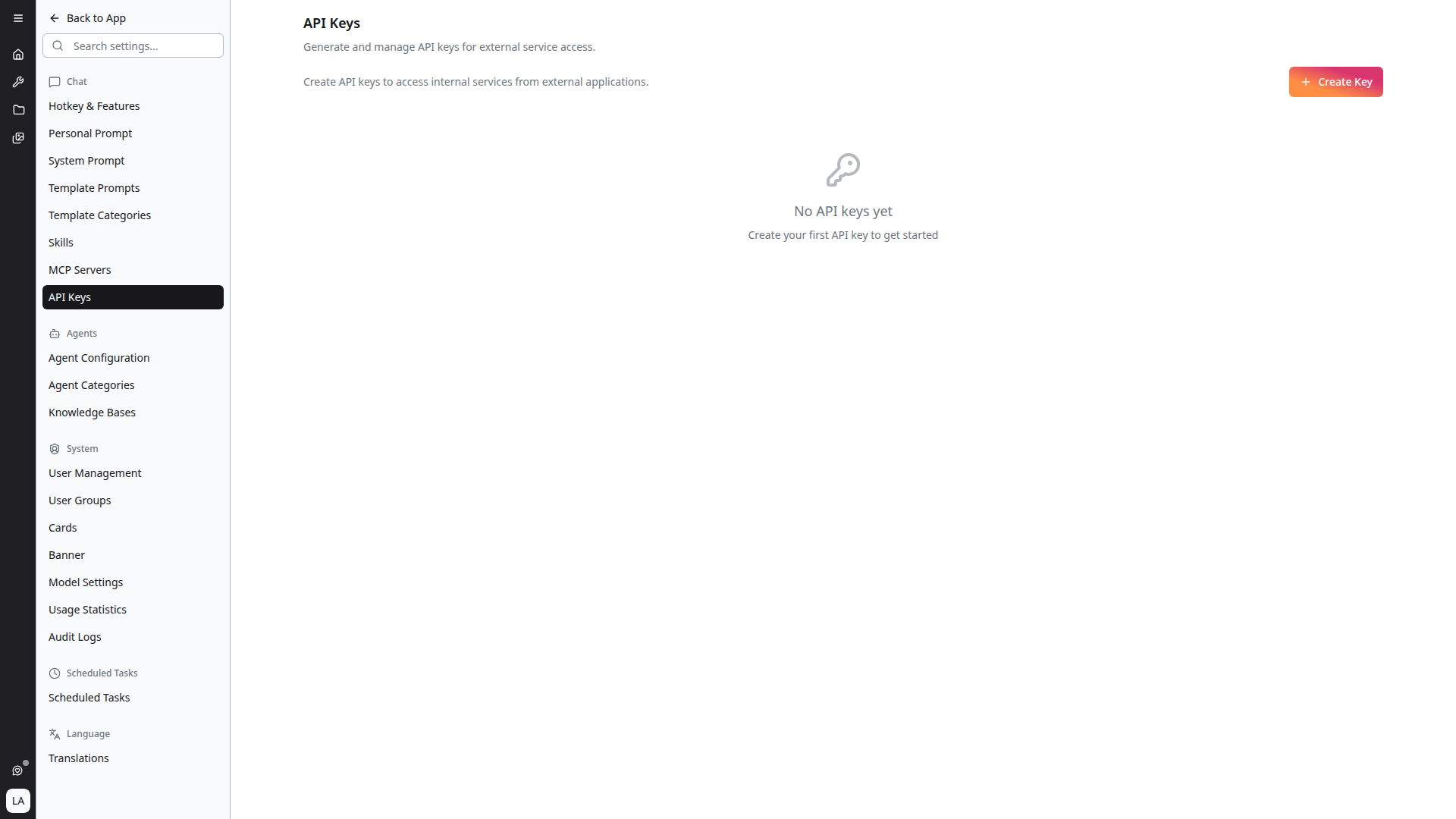
Navigate to Settings > API Keys to view and manage your API keys. Each key displays:
- Name — A label you assigned when creating the key
- Key prefix — The first characters of the key (e.g.
afk_4d850c05...) - Expiration date — When the key will stop working
- Last used — When the key was last used to make a request
- Created date — When the key was generated
- Scopes — The permission scopes assigned to the key
Creating an API Key
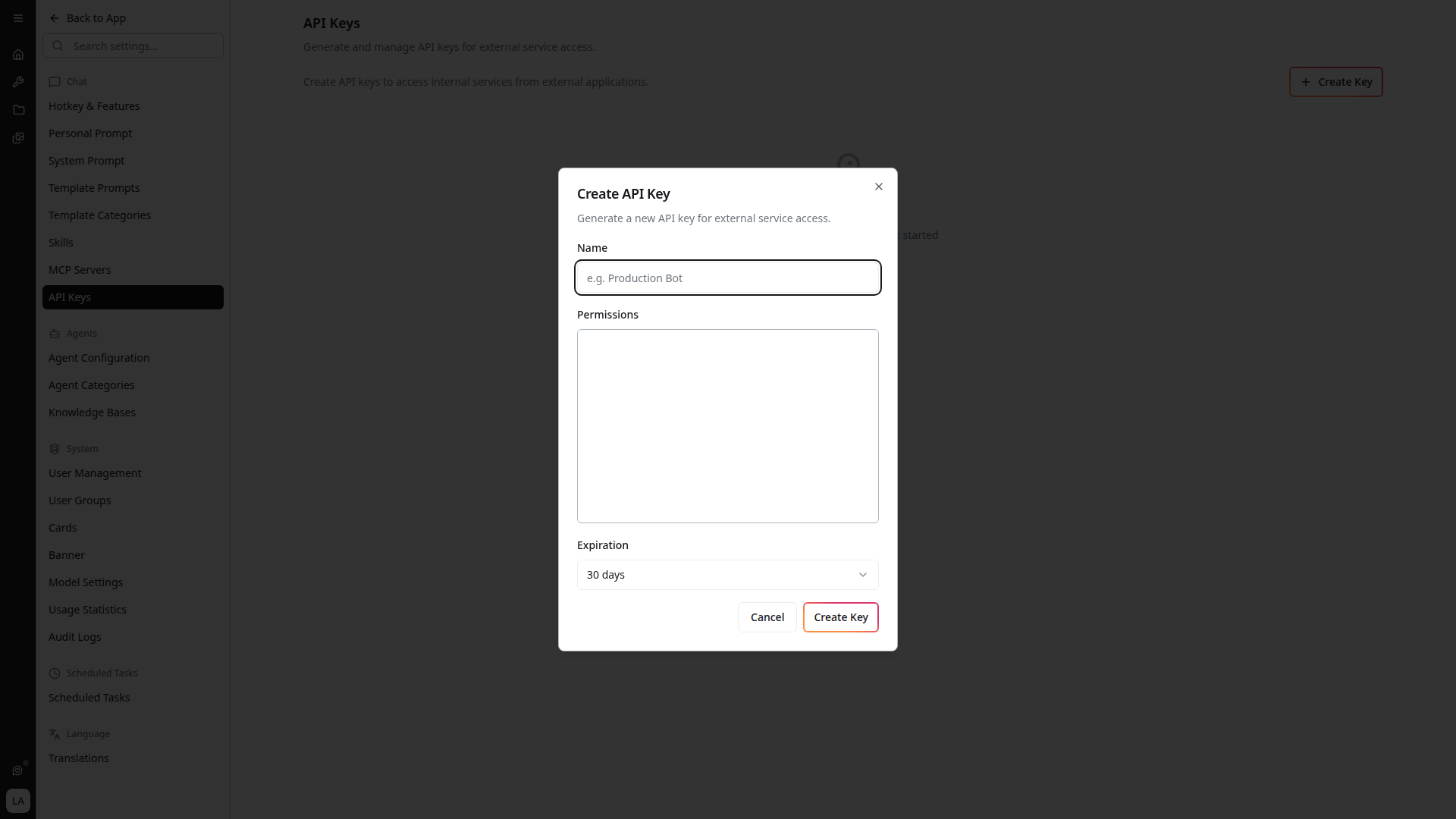
- Click + Create Key on the API Keys page
- Enter a descriptive Name (e.g. "Production Bot")
- Select the Permissions the key should have (see Scopes below)
- Choose an Expiration period (default: 30 days)
- Click Create Key
The full API key is only shown once at creation time. Copy and store it securely — it cannot be retrieved later.
Deleting an API Key
Click the trash icon next to any key to revoke it immediately. Revoked keys can no longer authenticate requests.
Authentication
Include the API key in the x-api-key header of every request:
curl -X POST https://api-forwarder-4cme.ashypond-98ad6468.germanywestcentral.azurecontainerapps.io/api/v1/completions \
  -H "x-api-key: afk_your_api_key_here" \
  -H "Content-Type: application/json" \
  -d '{"messages": [{"role": "user", "content": "Hello"}]}'
Scopes
Each API key is assigned one or more scopes that determine which endpoints it can access. Scopes are organized into two groups:
Agents
Scopes for managing knowledge agents — the AI personas backed by indexed documents and custom configurations.
| Scope | Description |
|---|---|
| View Agents | Read-only access to agents, their status, categories, search, and indexed documents |
| Edit Agents | Modify existing agents, trigger indexing, and manage agent documents |
| Create Agents | Create new agents |
| Delete Agents | Remove agents |
| Manage All Agents | Full agent access that bypasses user-group restrictions. Includes all of the above |
Tools
Scopes for using the platform's AI tools.
| Scope | Description |
|---|---|
| Use Chat | Access the chat completion engine, conversation history, projects, and related features |
| Use Transcripts | Access audio transcription and file upload |
Recently Added Route Families
The forwarder's surface was expanded alongside knowledge bases:
/graph/…— Microsoft Graph-backed file and site operations, such as browsing SharePoint sites and copying files. These are what back the knowledge base File Management picker./knowledge-bases/{id}/corpus/…— knowledge base corpus sub-routes, includingsearch,graph,build-graph,consolidate-entitiesandresolve-references. These correspond to the operations described under Knowledge Graph.- Skills sub-routes for programmatic skill access
Internal ingestion routes are explicitly denied at the gateway. They are implementation details of the indexing pipeline and are not part of the public API surface, so they cannot be reached with an API key even though the backing service exposes them internally.
The reference below is generated from the deployed services at build time, so these routes — and their exact schemas and required scopes — are always shown in their current form there. Treat the generated reference, not this list, as authoritative.
Interactive API Reference
The complete, always-current endpoint reference below is generated from the deployed services at every docs build — every operation shows its required API-key scope, request/response schemas, and can be tried directly against the gateway with your X-Api-Key.
You can also import the raw OpenAPI spec into Postman or a client generator: /api/openapi.json