Knowledge Graph
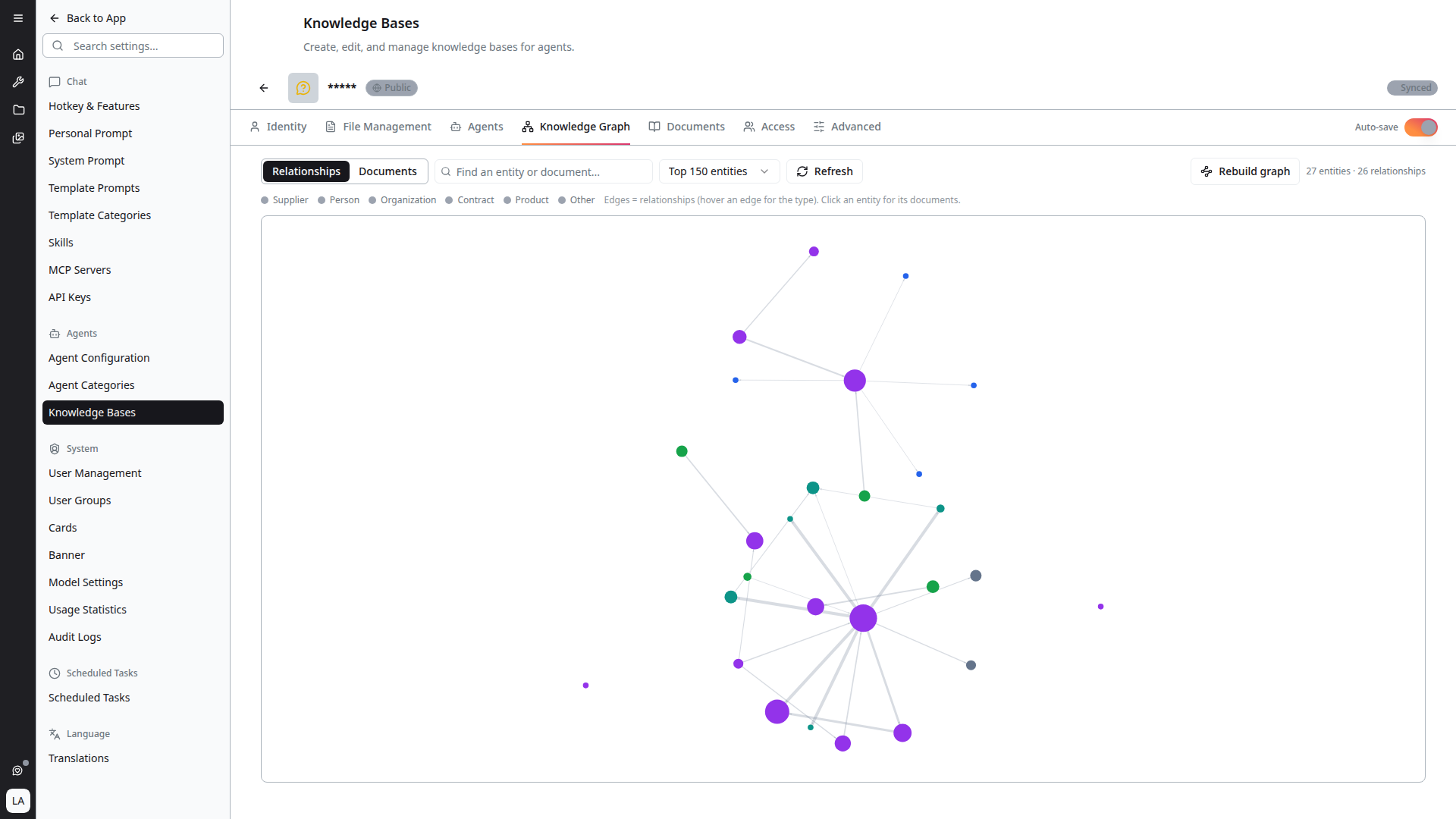
Indexing does more than split documents into searchable sections. It also extracts the entities mentioned in them — suppliers, people, contracts, products — and the relationships between them. The Knowledge Graph tab visualises that structure.
Reading the Graph
Nodes are entities and documents; edges are relationships. As the in-app legend puts it: "Edges = relationships (hover an edge for the type). Click an entity for its documents."
- Hover an edge to see the relationship type
- Click an entity to open its detail panel, listing the documents it appears in
- Click through to a document to read it in the Documents tab
The header summarises the graph as counts of entities, relationships and documents.
Finding Things
- Find an entity or document… — search the graph by name
- Entity limit — cap how many entities are drawn
Large graphs are truncated for legibility. When that happens the header reads "Truncated — showing top N entities," where the retained entities are the most connected ones. Raise the entity limit to see more, at the cost of a busier diagram.
Rebuilding the Graph
The Rebuild graph action re-runs entity consolidation and reference resolution over the already-indexed content.
This is worth doing when the graph looks fragmented — for example when the same supplier appears as several near-duplicate nodes because different documents spell the name differently. Consolidation merges those into one entity and re-resolves the references pointing at them.
Rebuild graph does not re-read your source files. It reworks the entities derived from the existing index. If the underlying documents have changed, re-index first, then rebuild the graph.
Empty State
If the tab reads "This knowledge base has no extracted entities yet," the knowledge base has not been indexed, or indexing found nothing to extract. Index the knowledge base and the entities found in its documents — suppliers, people, contracts and so on — appear here, connected to the documents they came from.