Assigning to Agents
A knowledge base is inert until an agent uses it. Attaching it makes its content searchable and citable by that agent.
The Agents Tab
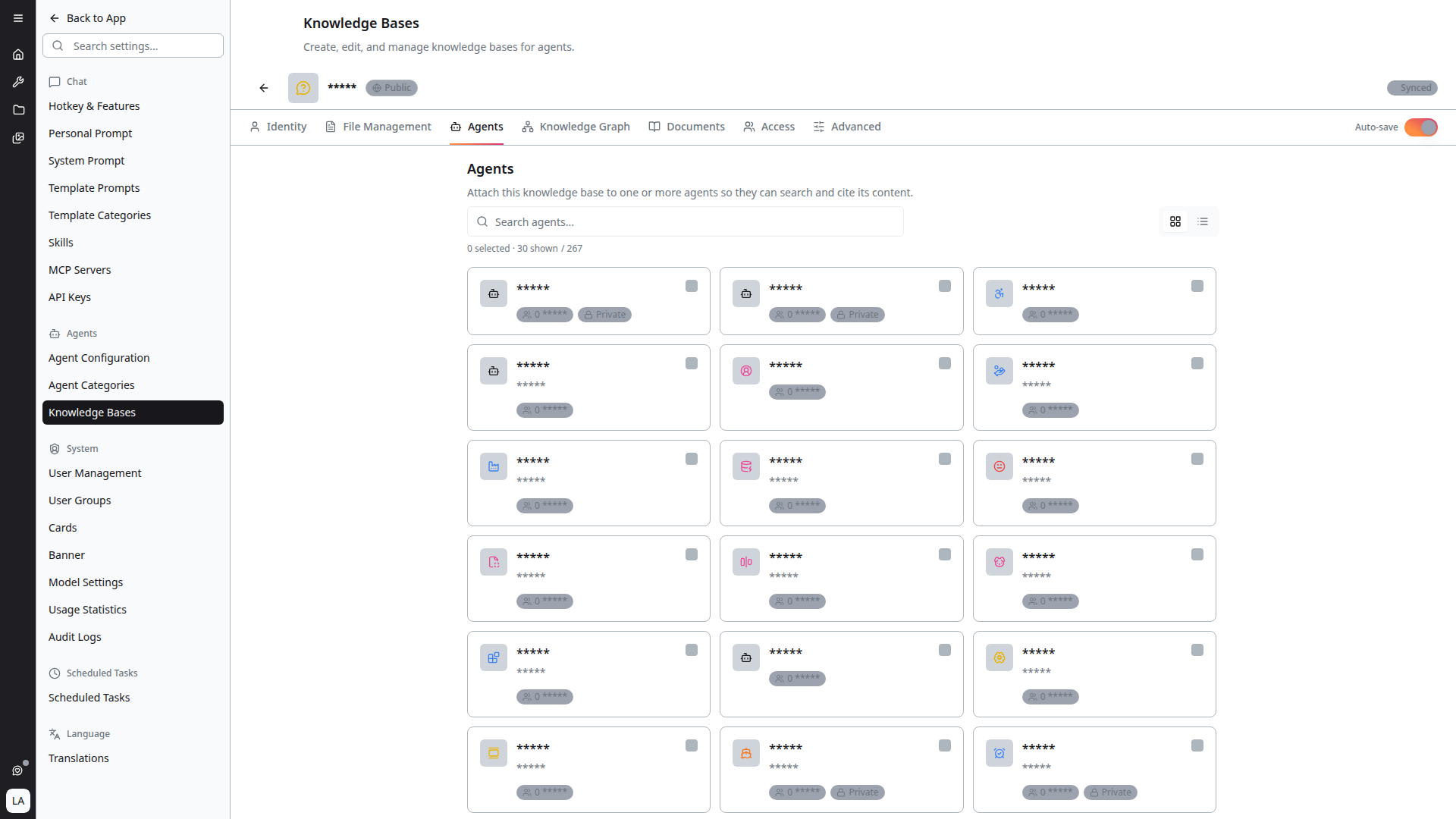
Open the knowledge base and select the Agents tab: "Attach this knowledge base to one or more agents so they can search and cite its content."
The tab lists every agent you can administer, as Cards or as a List. Select as many as you like — one knowledge base can serve any number of agents. The header summarises your selection as N selected · M shown, and Clear selection resets it.
With Auto-save on, changes persist as you make them.
Assigning from the Agent Side
You can also work in the other direction. In the agent editor's Knowledge tab, pick the knowledge bases that agent should use. This is the natural direction when configuring a new agent; the Agents tab above is the natural direction when rolling one knowledge base out to a group of agents.
Both edit the same relationship.
Importing a Legacy Agent Index
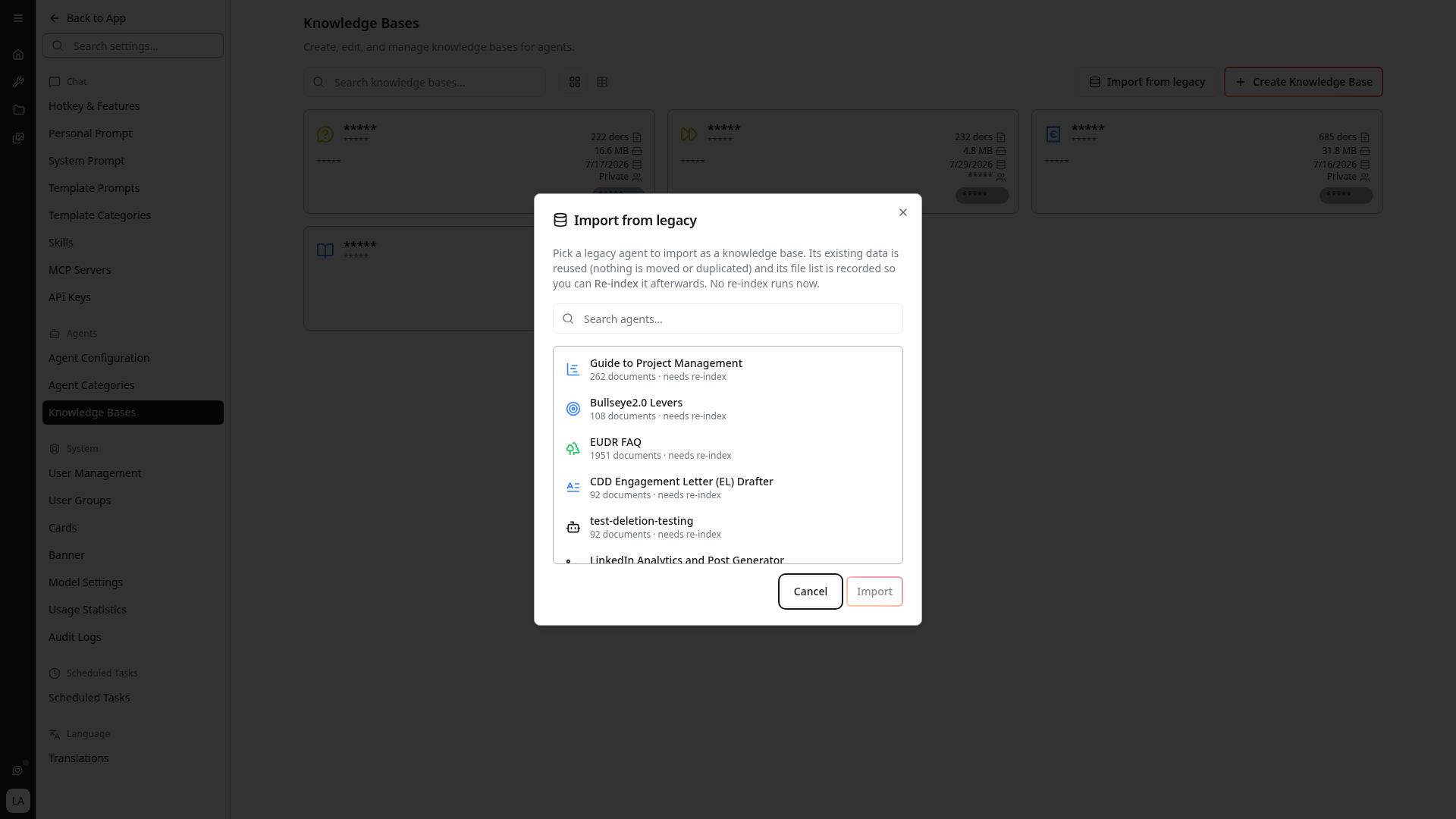
Agents created before knowledge bases existed carry their own index. Import from legacy on the Knowledge Bases page adopts one of those indexes as a knowledge base, so it can be shared like any other.
- Click Import from legacy
- Search the agent list and pick the agent whose index you want to adopt
- Click Import
The existing data is reused — nothing is moved or duplicated — and the agent's file list is recorded so you can Re-index afterwards.
Importing does not run an index. The imported knowledge base reflects the agent's existing index until you re-index it; entries needing one are marked "needs re-index."
Agents already migrated do not appear in the dialog. Once every indexed agent has been adopted, it reads "No legacy agents to import — every indexed agent is already on the new system."
Not Yet Indexed Agents
An agent pointing only at knowledge bases that have never been indexed cannot answer from them. Those agents are disabled in the chat and scheduled-task pickers and labelled Not yet indexed.
If an agent is unexpectedly unavailable, open its knowledge bases and check whether they have been indexed — see Indexing.