Landing Page Cards
The cards on the 4C:me Safe AI Platform landing page are administrator-managed. You control which tools appear, what they say, where they link, and who can see them — without a deployment.
Opening Cards
Cards are managed from Settings → Cards, under the System group.
Default and Custom Cards
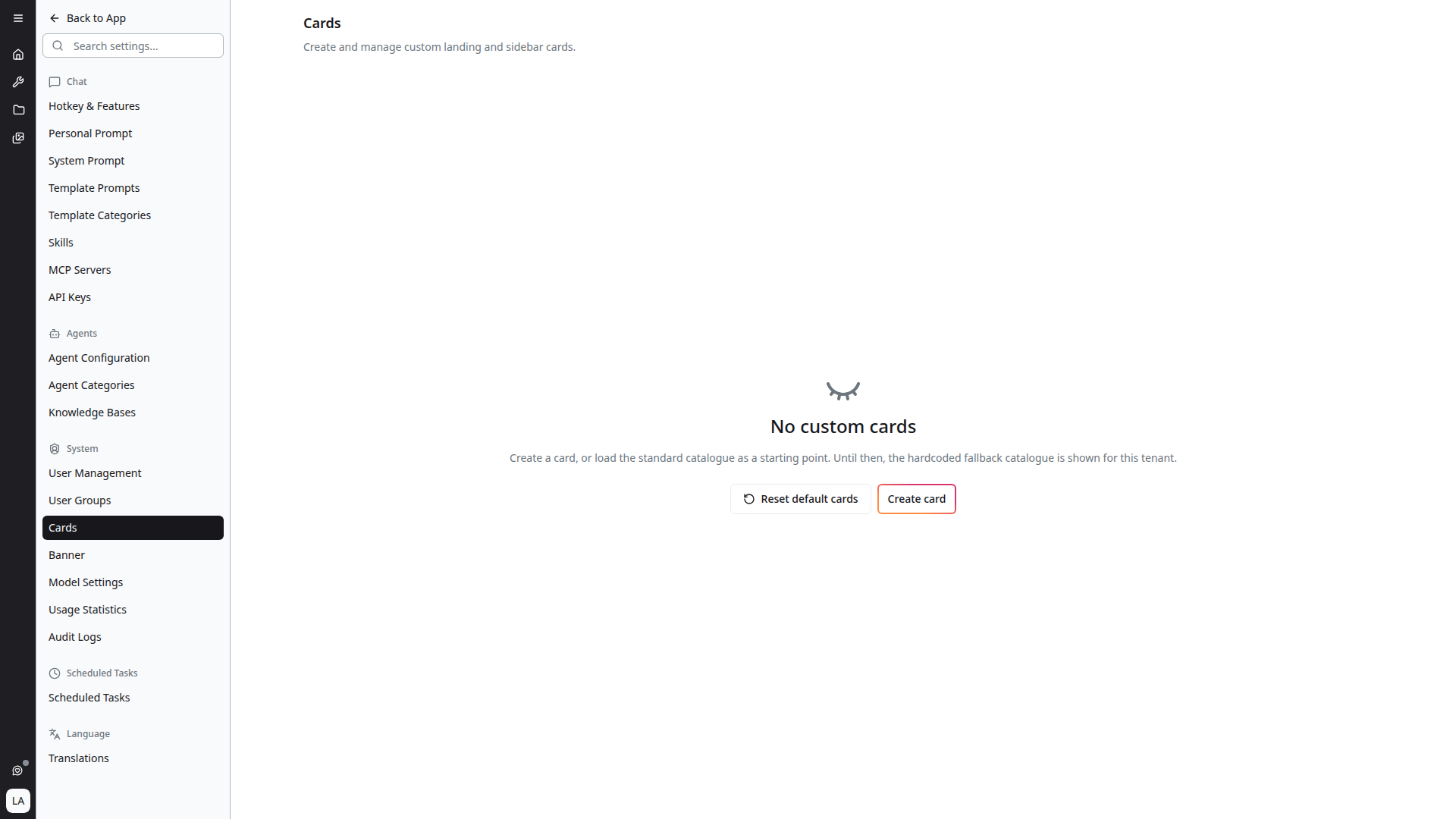
Every tenant starts with a built-in fallback catalogue. Until you create or load cards, that hardcoded catalogue is what users see, and the page reads:
No custom cards — Create a card, or load the standard catalogue as a starting point. Until then, the hardcoded fallback catalogue is shown for this tenant.
You have two ways to start:
- Create card — add a card from scratch
- Reset default cards — load the standard catalogue as editable cards for this tenant
Reset default cards
Reset default cards is also how you get back to a known-good state. Its behaviour depends on whether you already have cards:
- With existing cards, it warns: "This replaces all current cards for this tenant with the standard catalogue. Any custom cards you have added will be removed."
- With no cards, it simply loads the standard catalogue as editable cards.
Resetting removes every custom card for the tenant. It is not a merge — anything you have added by hand is discarded.
Card Fields
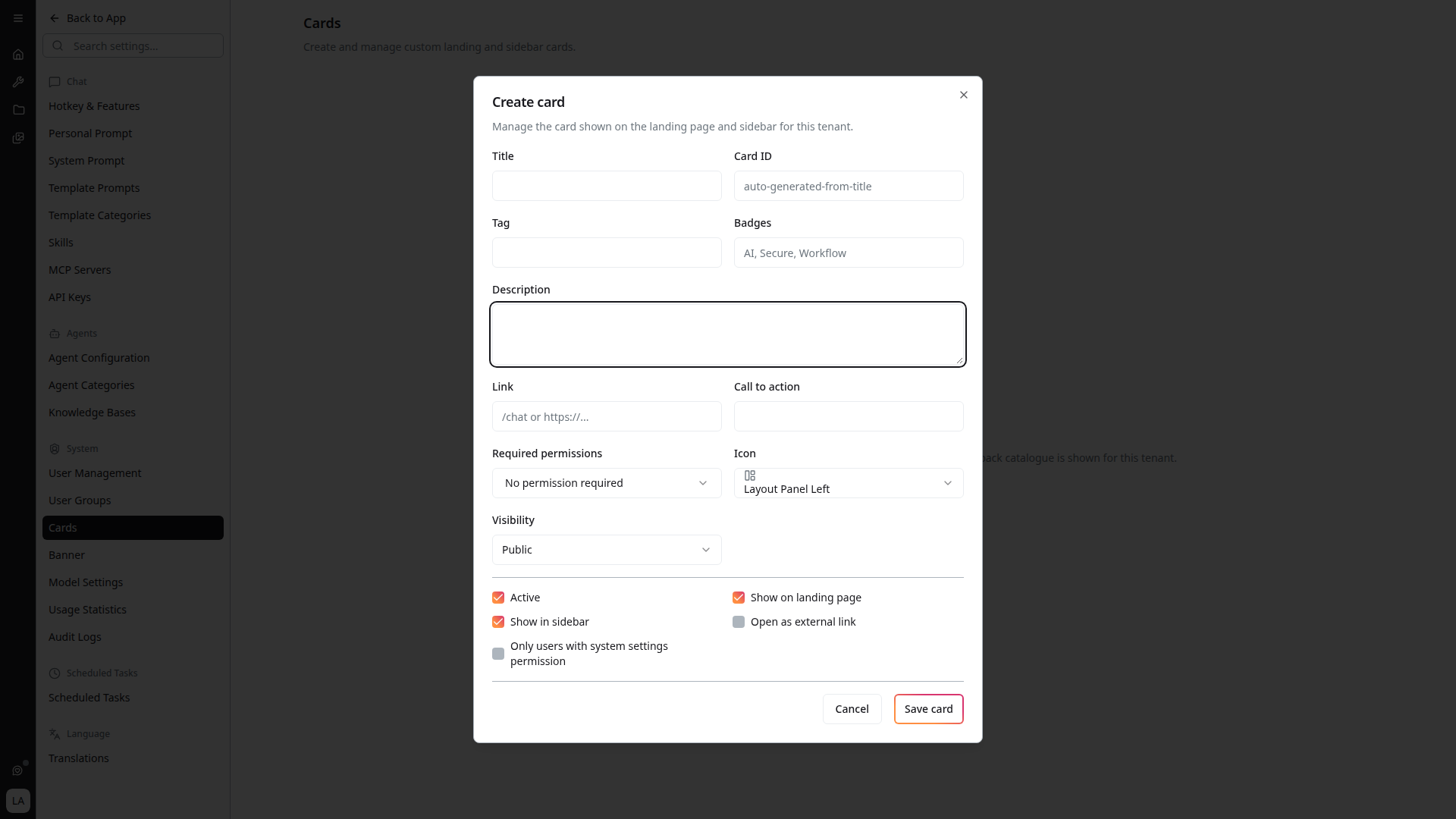
Editing or creating a card exposes:
| Field | Purpose |
|---|---|
| Title | The card's heading |
| Card ID | Stable identifier, auto-generated from the title |
| Badges | Short comma-separated labels, e.g. AI, Secure, Workflow |
| Description | The supporting line under the title |
| Link | Where the card goes — an internal path like /chat or an external https://… URL |
| Call to action | The button text |
| Required permissions | Permissions a user must hold for the card to appear |
| Icon | The card's icon |
| Visibility | Public, Private to creator, or Specific user groups |
| User groups | Which groups may see it, when visibility is restricted to groups |
Visibility and permissions together
Visibility and Required permissions are independent filters, and both must pass:
- Visibility decides who the card is published to — everyone, only you, or named groups
- Required permissions decides who is capable of using the target — if a card links to a tool a user cannot access, requiring that tool's permission stops the card appearing for them
Setting the matching permission on a tool card is what keeps the landing page free of links that would only lead to an error.
Ordering Cards
Cards are drag-to-reorder. The handle on each row is labelled Drag to reorder, and the order you set is the order users see.
Each row also carries Edit and Delete actions.
Cards no longer display badges on the landing page itself in some deployments, and the floating feedback button has been removed from the landing page. Feedback is still collected — see Feedback.