User Management
Administrators can manage users and user groups through the platform's administration interface at 4cme.4cgroup.net/users.
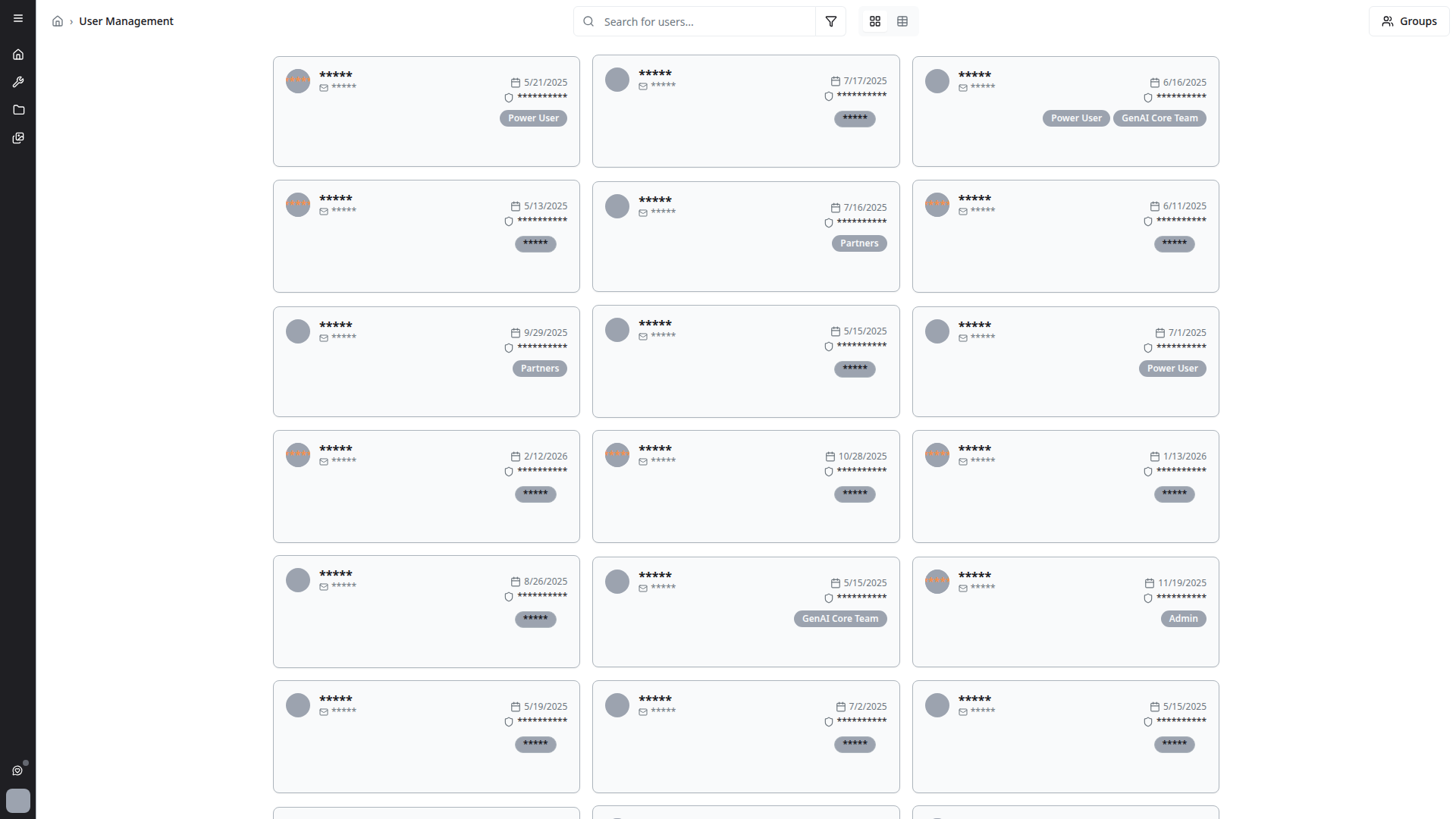
User Directory
The user management page displays users in a card grid layout. Each user card shows:
- Avatar — User's profile picture or initials
- Name — Full name of the user
- Email — Organization email address
- Permissions count — Number of permissions assigned (e.g., "7 permissions")
- Group assignments — Groups the user belongs to (e.g., Admin, Power User, Partners)
- Status badge — Active or Inactive indicator
User Groups
Click the Groups button at the top of the page to manage user groups. Groups control access to tools, agents, and features.
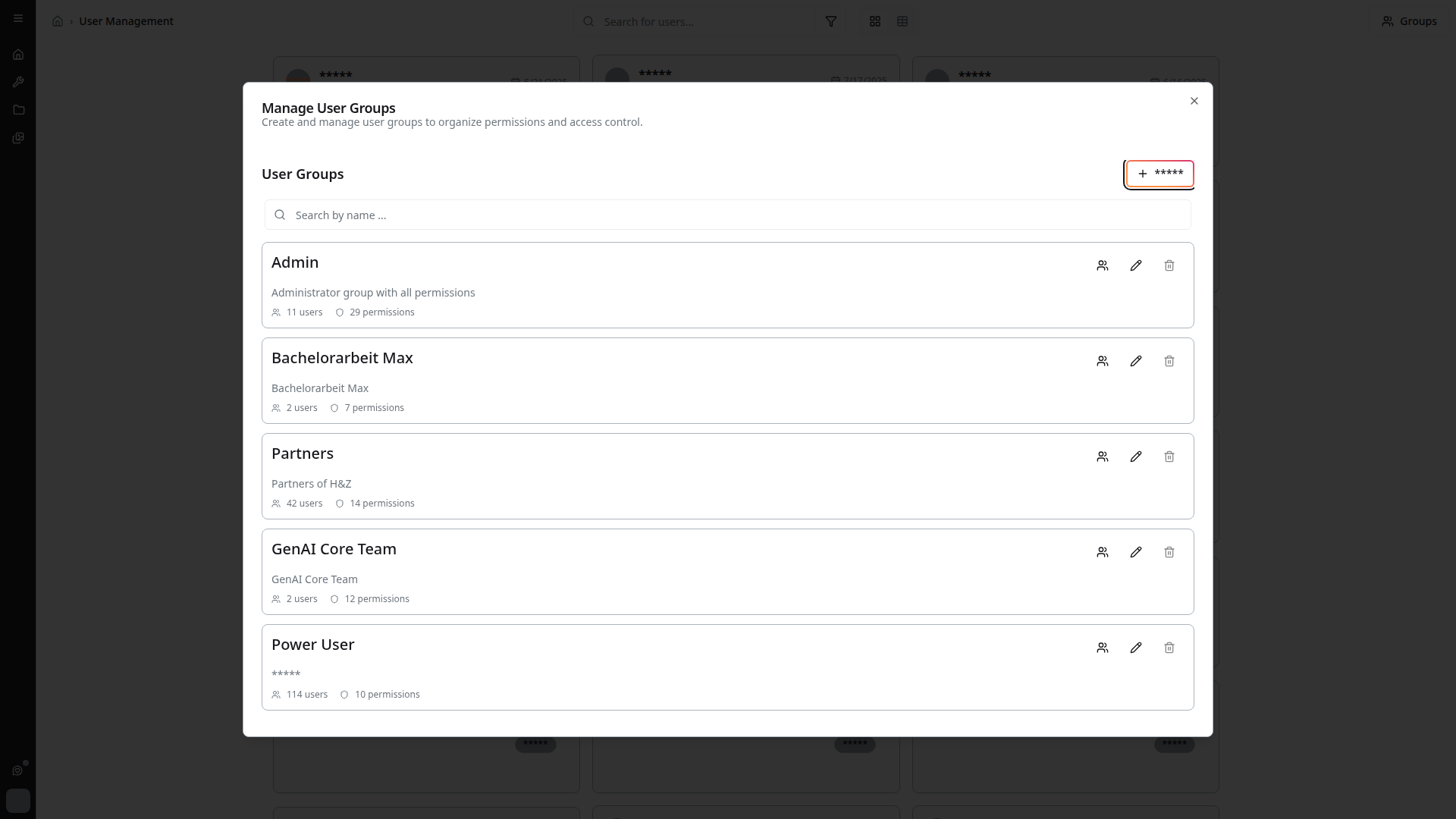
Available Groups
Common groups on the platform include:
- Admin — Full administrative access
- Power User — Extended access to tools and features
- Partners — Access for external partners
- GenAI Core Team — Core development team
- N8N User — Access to n8n workflow automation
- Additional project-specific groups (e.g., CSS, HLAG_FM, Digital.Ursa)
Creating Groups
Administrators can create user groups and assign users to them.
Managing Group Members
- Add members — Assign users to groups
- Multi-remove support — Remove multiple users from a group at once
- The currently selected user group is highlighted in the management dialog for clarity
Permissions
User group management actions are conditionally rendered based on permissions:
- Only users with appropriate permissions see management controls
- Different permission levels control who can create, edit, or delete groups
- Group membership determines access to private agents and tools