Voice Interaction
The 4C:me Safe AI Platform supports voice-based interaction with 4C:me, allowing you to speak your queries instead of typing.
Overview
Voice interaction enables a more natural, hands-free way to communicate with 4C:me. Simply speak your question or request, and 4C:me processes your speech to generate a response.
How to Use
- Open 4C:me
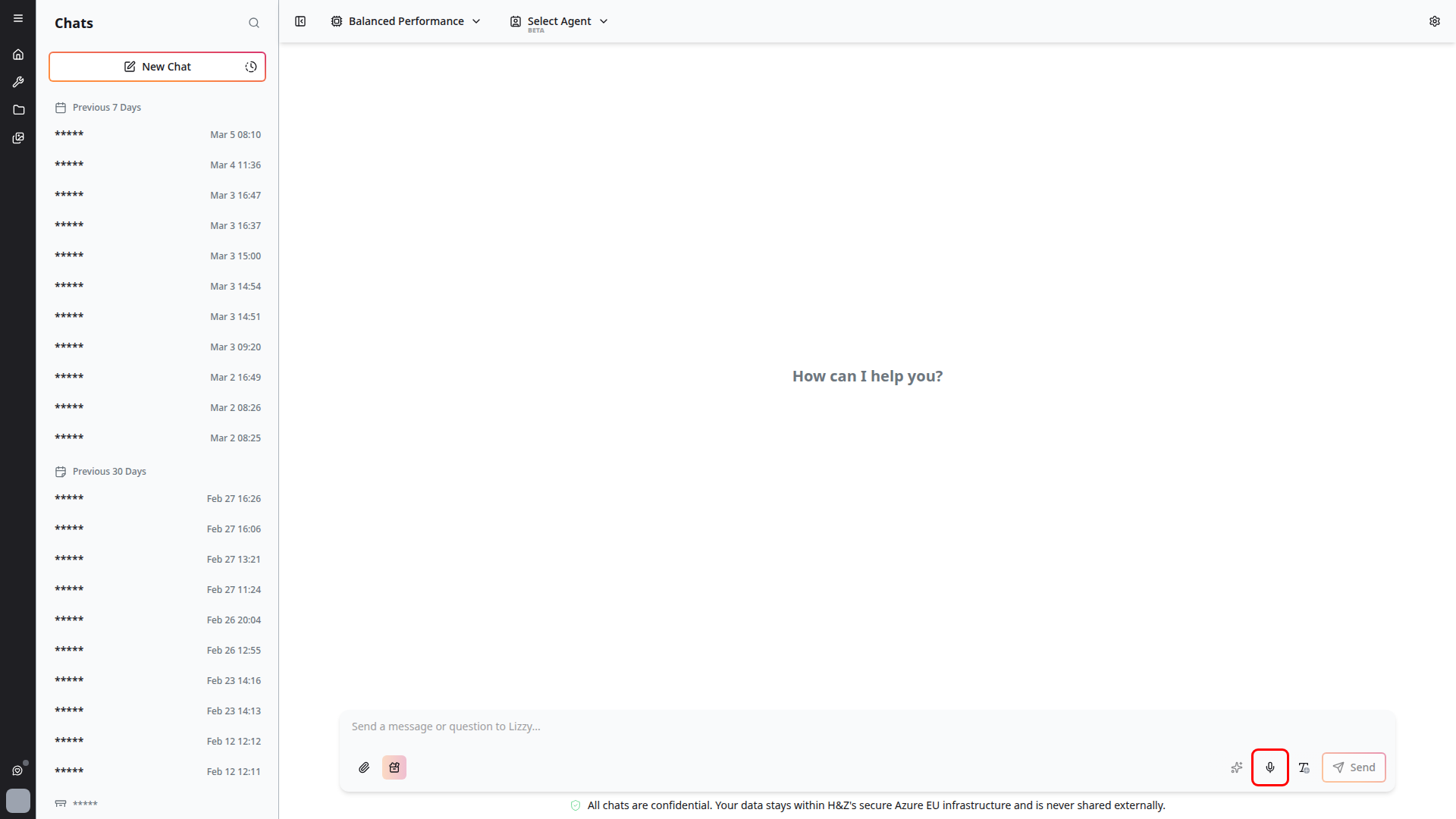
- Click the microphone icon in the chat input area
- Speak your message clearly
- Your speech is transcribed and sent as a message
- 4C:me responds as with any text message
Features
- Speech-to-text — Your voice is accurately transcribed into text
- Natural conversation — Speak naturally as you would in a conversation
- Hands-free operation — Useful when you cannot type
Tips
- Speak clearly and at a moderate pace for best transcription accuracy
- Use voice interaction in a quiet environment to minimize background noise
- You can review the transcribed text before sending if needed
- Voice interaction works in combination with all other chat features (models, agents, templates)
Accessibility
Voice interaction enhances accessibility for users who:
- Have difficulty typing for extended periods
- Prefer verbal communication
- Need hands-free operation while multitasking