Projects
A project groups the conversations that belong to the same piece of work. Instead of scrolling a flat chat list, you link the relevant chats to a project, give the project its own instructions, and — when the work is shared — give colleagues access to the whole thread of it at once.
Projects also change how 4C:me answers: conversations inside a project can draw on what was said in the project's other conversations.
Finding Projects
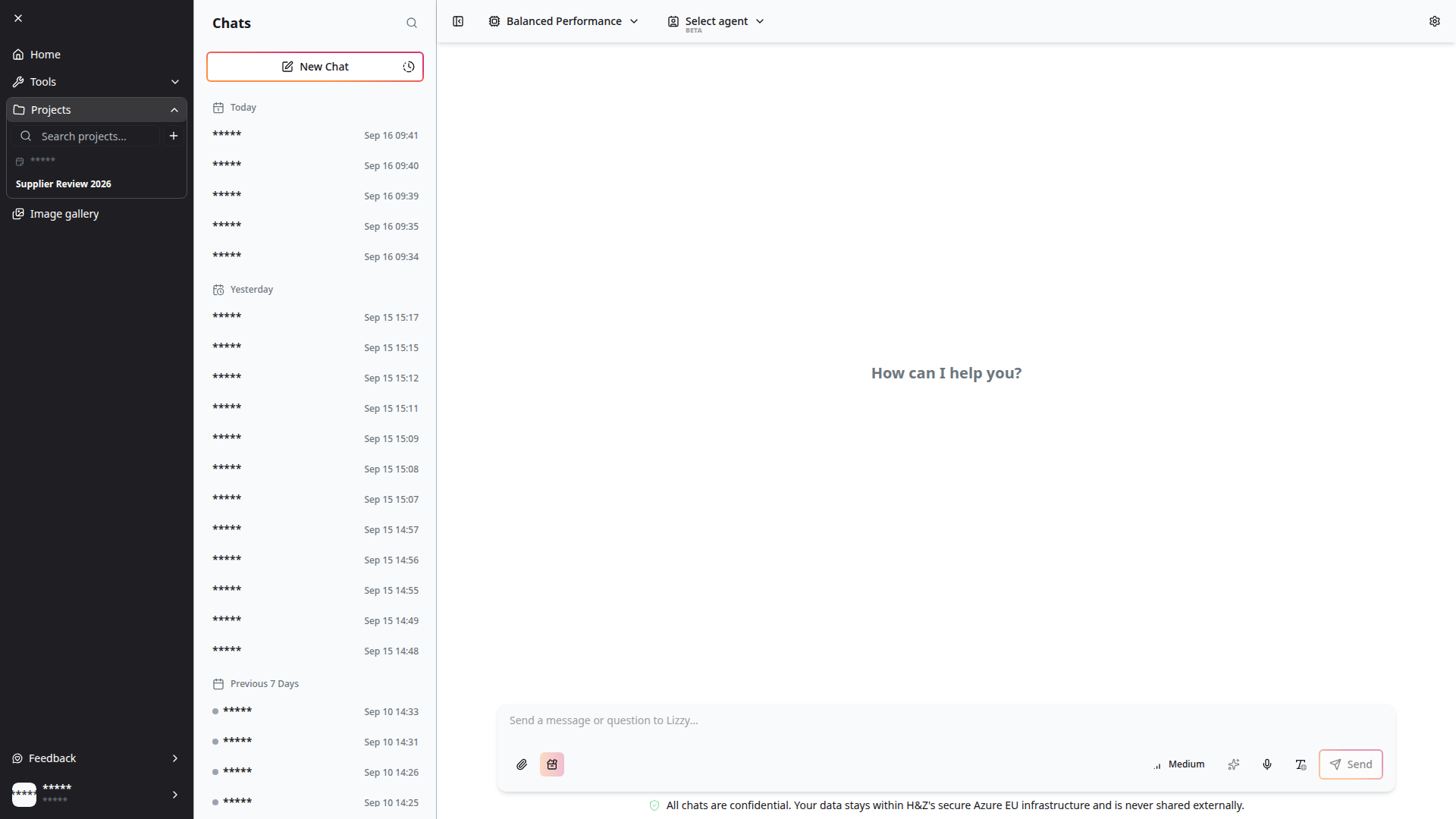
Projects live in the main sidebar, under Projects. If the sidebar is collapsed to icons, expand it (hamburger, top left) to see the section, then click Projects to open it.
The section holds a Search projects… box and a + button to create one. A Projects widget is also available on your workspace, listing each project with its chat count and when it was last touched.
Creating a Project
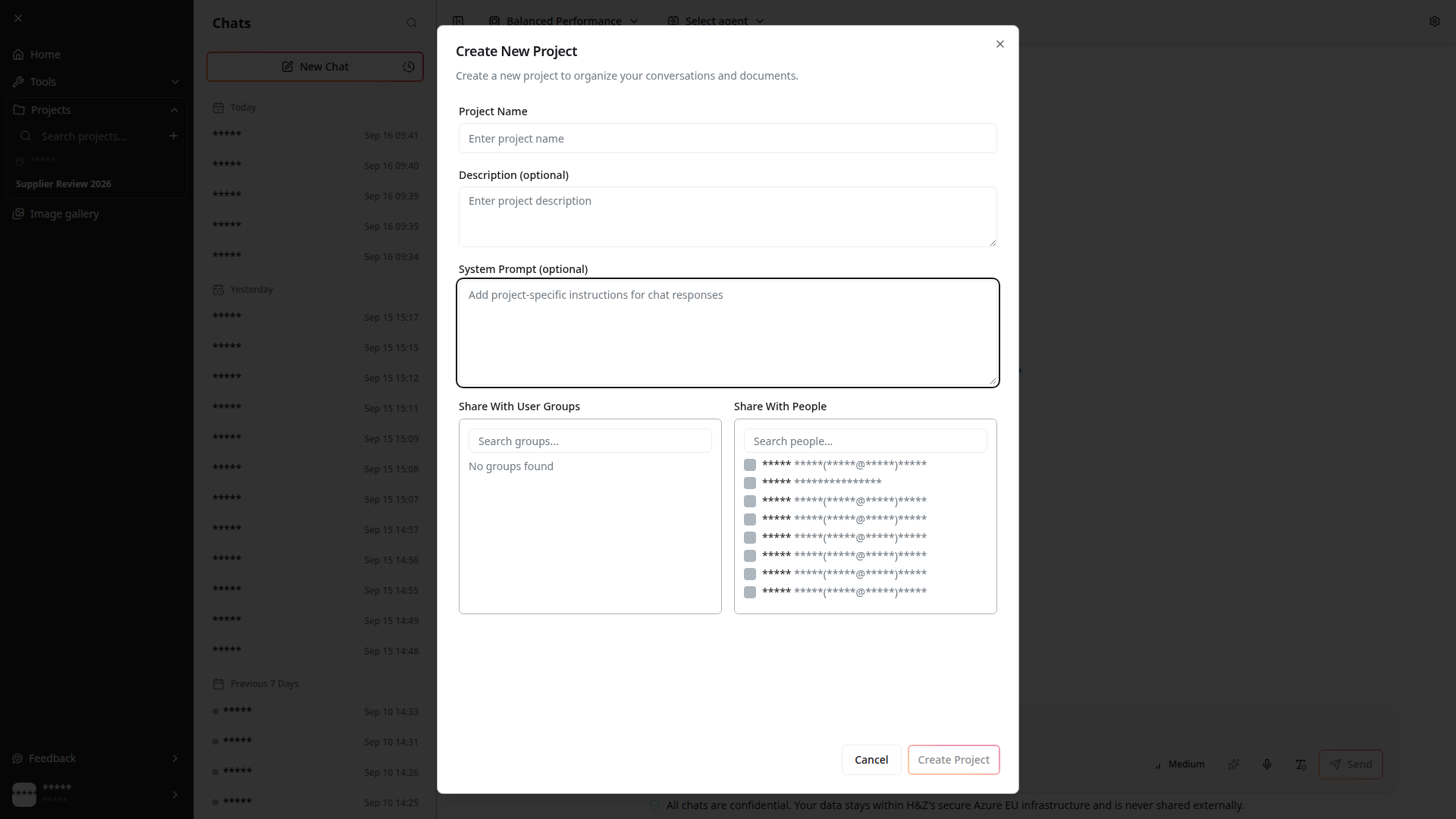
Click + next to the project search. The Create New Project dialog asks for:
| Field | Purpose |
|---|---|
| Project Name | How the project appears in the sidebar and widgets |
| Description (optional) | A line of context, shown under the name |
| System Prompt (optional) | Instructions that apply to every conversation in this project |
| Share With User Groups | Groups that should see the project and its conversations |
| Share With People | Individual colleagues who should see it |
The System Prompt is the field worth dwelling on. Anything you put there — "Answer in the context of our 2026 supplier review, and say which document an answer came from" — is applied to the chats linked to this project, so you are not restating the same framing at the top of every conversation.
Use Edit Project on an existing project (from its ⋯ menu) to change any of these later; the dialog is the same.
Linking Conversations
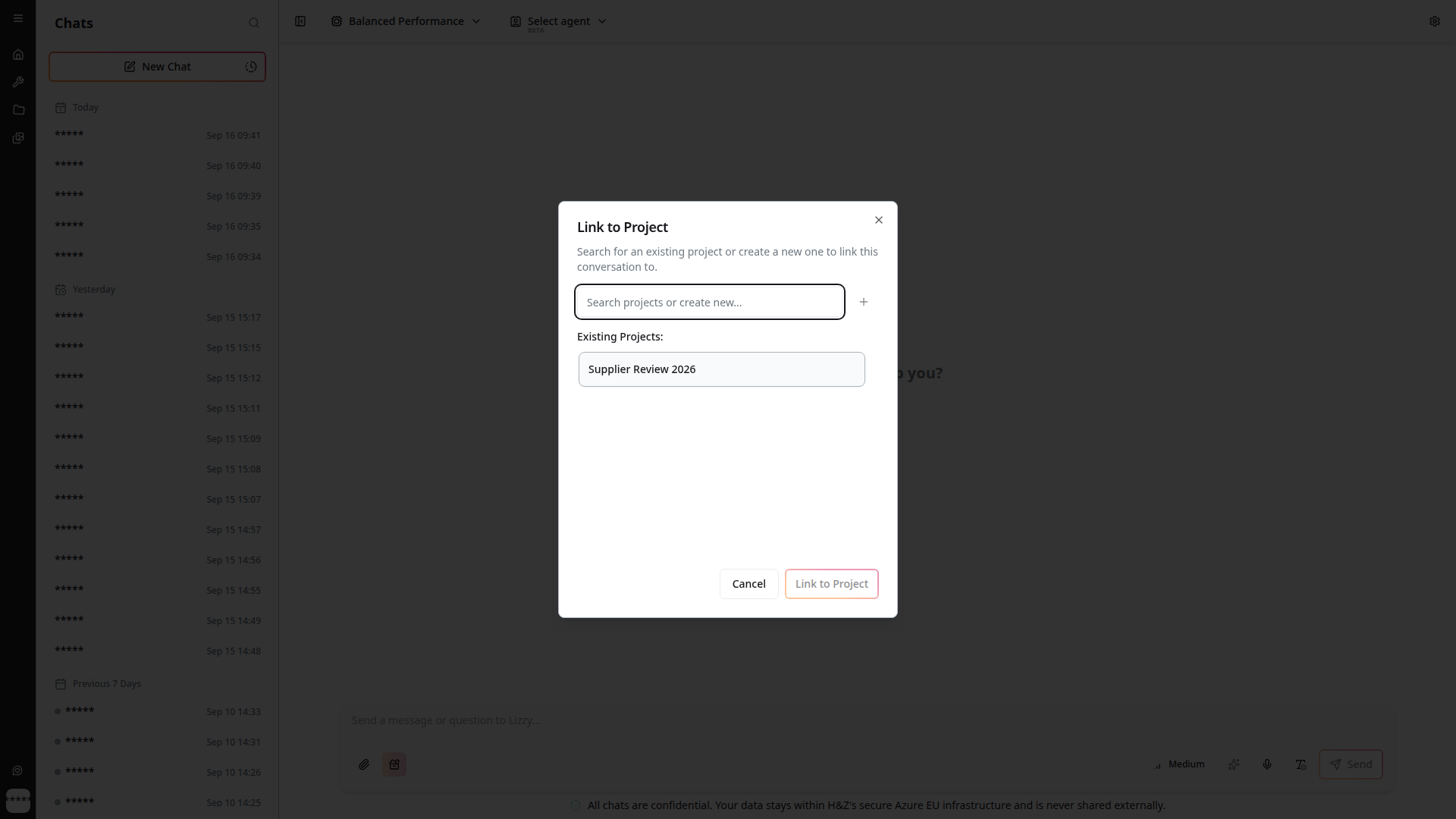
A conversation joins a project from the chat list: right-click the conversation in the 4C:me sidebar and choose Link to Project. The dialog lets you search for an existing project or create one on the spot.
Once linked, the same menu offers Unlink from Current Project. Transcriptions can be linked to a project the same way, from the transcription's own menu.
Linking is about grouping, not copying. The conversation stays where it is and keeps its history — it simply also belongs to the project, and appears when the project is opened.
Shared Context Within a Project
When you chat inside a project, 4C:me is given a short summary of recent messages from the project's other conversations, as context ahead of your question.
In practice this means a second conversation about the same piece of work does not start cold: decisions, names and constraints established in an earlier project chat carry over. The current conversation is always the primary context; the project summary sits behind it.
This only applies to conversations that are actually linked to the project. A chat you never linked is private to that chat, whatever else the project contains.
Sharing a Project
A project can be shared with user groups, with individual people, or both, from the create or edit dialog. Sharing a project shares the conversations linked to it — the people you name can open those chats and read them, including encrypted messages.
In both pickers, the entries you have already selected stay pinned at the top of one combined list, so a long directory does not hide your current choices.
Share a project only when you intend the conversations inside it to be readable by the people and groups you name. If a single conversation should stay private, unlink it from the project before sharing, or keep it in a project of its own.
Projects shared with you are marked Shared Project in the list. Access is checked on every conversation and project request, so a link to a conversation you do not have access to will not open it.
Deleting a Project
Delete Project (from the project's ⋯ menu) asks for confirmation and tells you what else is affected:
"N conversations will be unlinked from this project" — and the same for linked transcriptions.
Deleting a project unlinks its conversations rather than deleting them. The chats and transcriptions survive on their own; they simply stop belonging to a project.
Related
- 4C:me Overview — the chat surface projects group
- Your Workspace — the Projects and Project activity widgets
- Transcription — transcriptions can be linked to projects too